

When you’re first starting out as a freelancer, juggling a few spreadsheets, sticky notes, and browser tabs might feel manageable. But as your workload grows—and clients, deadlines, and deliverables start stacking up—that DIY setup quickly becomes overwhelming. Unfortunately, it’s hard to know the best remote work tools for freelancers.
Remote work in 2026 demands more than scattered tools and mental reminders. It requires a connected system that keeps your work organized, your time protected, and your business running smoothly behind the scenes.
The best remote work tools for freelancers don’t just help you check off tasks—they work together. Which is why you want integrated tools, so you spend less time managing your business and more time doing the work that actually pays.
In this guide, we’ll break down the best remote work tools for freelancers in 2026—from productivity and project management to marketing, communication, and payments. Whether you’re freelancing full-time, building a solo business, or scaling your services, these tools will help you stay organized, reduce friction, and work like a pro—without burnout.

🧠 The Freelancer Tool Philosophy (Read This First)
The goal isn’t more tools.
The goal is fewer tools that work together.
A strong remote work setup should:
- Reduce mental load
- Support focus (not constant notifications)
- Make time tracking and billing effortless
- Help you shut down at the end of the day
What Are Remote Work Tools for Freelancers?
Remote freelancers depend on a wide range of digital tools to stay productive, organized, and competitive while working from anywhere. Instead of relying on scattered apps, successful freelancers build a toolkit that supports both day-to-day tasks and long-term business growth.
Productivity and Task Management Tools
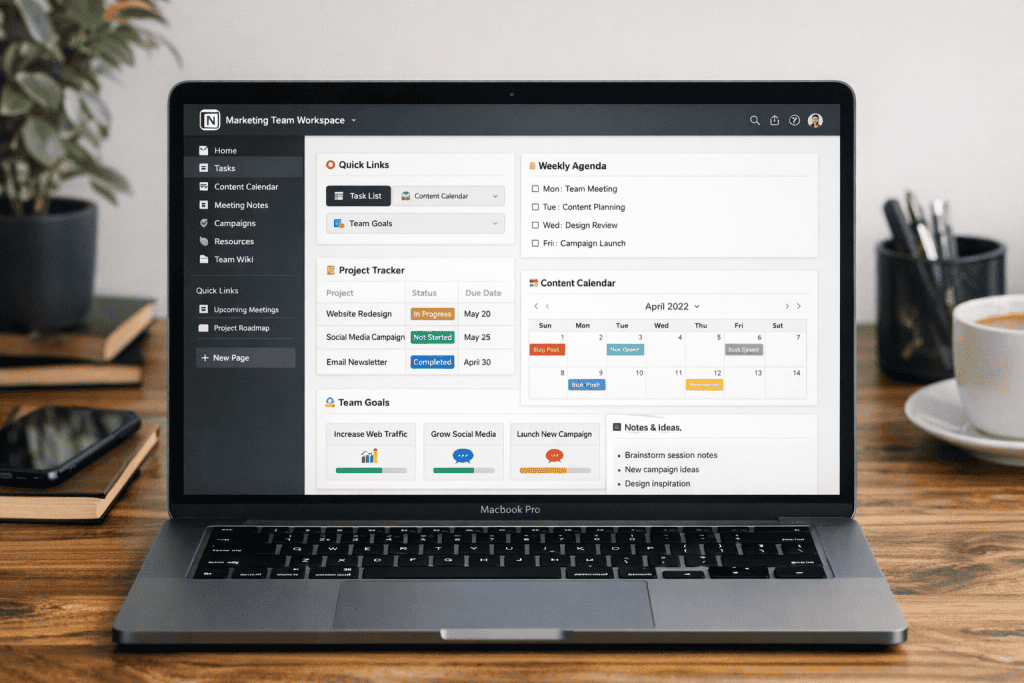
Task and project management tools help freelancers organize workloads, track deadlines, and manage multiple clients with ease. For example, platforms like Notion, ClickUp, and Asana allow freelancers to centralize tasks, create repeatable workflows, and store client information in one place. Visual tools such as Trello are ideal for freelancers who prefer kanban-style boards to manage ongoing projects.
Time Tracking and Focus Tools
Accurate time tracking is essential for billing, productivity analysis, and workload optimization, which is why tools like Toggl Track, Harvest, and Clockify help freelancers log billable hours and generate client-ready reports. For focus and deep work, apps such as RescueTime and Focus To-Do reduce distractions and encourage better work habits.
Communication and Collaboration Tools
Clear communication keeps remote freelance relationships running smoothly. Messaging platforms like Slack and Microsoft Teams support real-time and asynchronous conversations, while Zoom and Google Meet are widely used for client calls and virtual meetings. Collaborative tools like Loom allow freelancers to send quick video updates without scheduling a call.
File Management and Cloud Storage Tools
Cloud storage tools ensure freelancers can access files securely from any device. Google Drive, Dropbox, and OneDrive make file sharing and version control simple, while tools like Dropbox Backup add an extra layer of data protection.
Business, Invoicing, and Finance Tools
In general running a freelance business requires reliable financial tools. For example, tools like FreshBooks, Wave, and QuickBooks simplify invoicing, expense tracking, and tax prep. Likewise for proposals and contracts, tools like HoneyBook and Bonsai help freelancers automate client onboarding and payments.
In conclusion these tools form a powerful remote work stack—helping freelancers stay organized, professional, and ready to scale in 2026.
The Best Remote Work Tools for Freelancers:
🧩 Best All-In-One Workspace: Notion
Best for: Project management, notes, client tracking, workflows
Notion is the backbone of many freelance businesses — and for good reason.
Why freelancers love it:
- Combines docs, tasks, databases, and planning
- Custom dashboards for each client
- Templates for proposals, SOPs, and content calendars
Downside:
Requires setup time (worth it once dialed in)
👉 Best for freelancers who want one central hub
⏱️ Best Time Tracking Tool: Toggl Track
Best for: Tracking billable hours without friction
Time tracking is where most freelancers lose money. Toggl solves this quietly.
Standout features:
- One-click tracking
- Weekly reports for invoices
- Integrates with Notion, ClickUp, and calendars
👉 If you bill hourly, this tool pays for itself
🎯 Best Focus & Distraction Blocker: Freedom
Best for: Deep work, writing, creative tasks
Freedom blocks websites and apps across all devices — which matters when distractions follow you everywhere.
Why it works:
- Scheduled focus sessions
- Blocks social media, email, news
- Syncs phone + desktop
👉 Perfect for freelancers struggling with attention fatigue
💬 Best Communication Tool: Slack (or Async Alternative)
Best for: Client communication & team collaboration
Slack is still the default — but freelancers should use it intentionally.
Tips:
- Set office hours
- Turn off notifications after work
- Use async tools (like Loom or Twist) where possible
👉 Boundaries matter more than responsiveness
📂 Best File & Asset Management: Google Drive
Still unmatched for:
- Client collaboration
- Version history
- Easy access across devices
Pro tip:
Create one master client folder template and duplicate it for every new project.
🔁 Best Automation Tool: Zapier
Best for: Saving time on repetitive tasks
Examples:
- New client form → Notion database
- Invoice paid → project status updated
- Missed task → reminder sent
👉 Even 3 automations can save hours each month
🧠 The Ideal Freelancer Tool Stack (Simple Version)
You don’t need everything. Start with:
- Notion – projects & planning
- Toggl – time tracking
- Freedom – focus
- Slack / Email – communication
- Google Drive – files
This stack supports productivity without burnout.
Free Remote Work Tools for New Freelancers
When you’re just getting started as a freelancer, free tools can help you stay organized and professional without adding financial pressure. Many of today’s best remote work platforms offer generous free plans that cover the essentials—making them ideal for building your workflow before you invest in paid software.
Notion (Free Plan)
Notion is an all-in-one workspace that allows freelancers to manage tasks, create client dashboards, store notes, and build custom workflows. What’s more, its’ flexibility makes it especially useful for freelancers handling multiple projects or content-heavy work.
Trello (Free Plan)
Whereas Trello uses a visual kanban board system to track tasks and project progress. It’s intuitive, easy to set up, and perfect for freelancers who prefer a simple drag-and-drop approach to managing work.
Google Workspace (Free Tools)
Google Docs, Sheets, Drive, and Calendar are essential free tools for remote freelancers. They allow for real-time collaboration, cloud storage, file sharing, and scheduling—making client communication seamless.
Slack (Free Plan)
Slack enables organized communication through channels and direct messages. Many clients already use Slack, making it an easy way for freelancers to stay connected without cluttering their inbox.
Clockify (Free Plan)
Clockify is a powerful free time-tracking tool that helps freelancers log hours, monitor productivity, and create basic reports making it ideal for freelancers billing by the hour.
Wave (Free Plan)
Since Wave provides free invoicing and basic accounting features, it’s helpful for new freelancers sending professional invoices and tracking income without monthly fees.
Free vs Paid Remote Work Tools: What’s the Difference?
Free tools are excellent for getting started, but paid tools offer advanced features that support long-term growth. Upgraded plans often include automation, deeper analytics, client portals, custom branding, and priority support. Paid tools also scale better as your client load increases, saving time through integrations and advanced workflows. While free plans help you validate your business, paid tools help you run it more efficiently and professionally—making them a worthwhile investment as your freelance income grows.